
Grandstream GDS3705 Door Phone
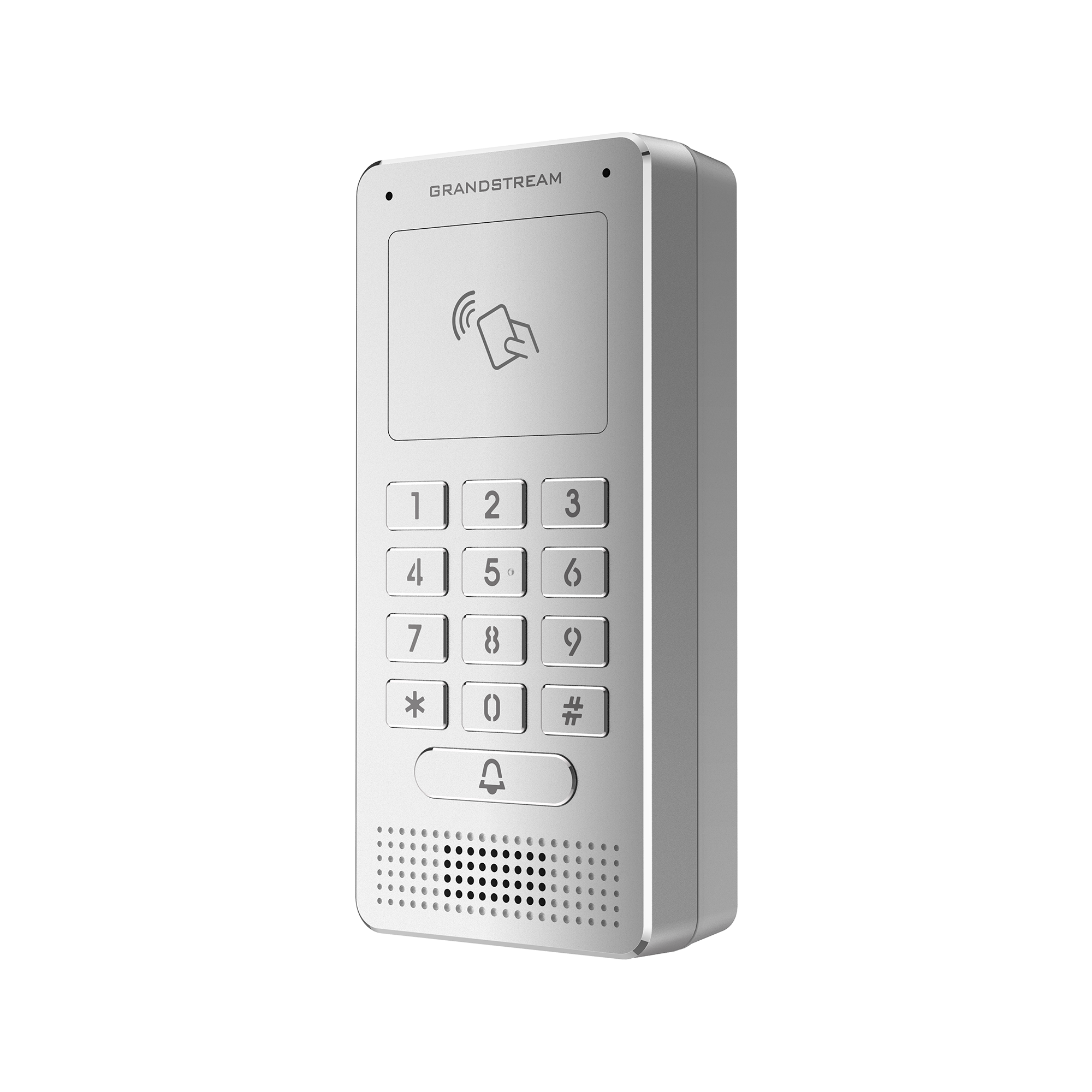 | The GDS3705 was built for users looking for a strong audio-only facility access and security monitoring solution that can be deployed in environments of all sizes. The GDS3705 comes equipped with a zinc alloy metal casing, making it weatherproof and vandal resistant and offers alarm-in and alarm-out support for integration with existing security devices.
The GDS3705 integrates with Grandstream’s free management utility software, GDS Manager, allowing RFID card information. |
Features
Keypad for secured entry
Supports SIP calls to IP phones to facilitate communication
HD audio options with up to 1.5m of audio input and 3m of audio output
Built with a metal casing to make it weatherproof and vandal resistant
Integrated PoE to power the device and provide a network connection
Built-in dual microphone and HD loudspeaker with advanced AEC offers intercom functionality
Built-in RFID Chip Reader *
*RFID capability is included in this hardware; however, access-control installation and configuration require a certified security integrator. Fibernetics does not provide installation or support for RFID implementations (see “RFID & Access Control”).
How it Works
DTMF Door-Release Code
For Poly and Grandstream desk phones and all phone types on Cloud PBX deployments, a DTMF code triggers the door switch. The Door Code can be up to four characters in length. The person who answers the door call enters the Door Code followed by # to release the door — for example, 6 # (a short delay occurs before the door opens).
Open Door Soft Key
With On-Premise NEWT PBXs, the local IP address is used to enable enhanced features for Grandstream desk phones only. Once configured with the appropriate local IP addresses, the phone displays an Open Door soft key. This key automatically sends the open-door code to the door phone and can be activated either during the call or while the call is still in the ringing state.
Multiple Answering
Your administrator can set the list of extensions that are dialed when the door phone call button is pressed (the Call Group). This allows several phones — desk phones, the NEWT mobile app, or mobile cell phones — to ring at once so that whoever is available can answer and release the door.
The supported NEWT deployment of the GDS3705 operates as a door phone with a specific, intentional workflow. This is the only configuration NEWT provisions and supports.
Supported Workflow
1. A visitor presses the doorbell (call) button on the GDS3705. 2. The button rings the configured destination — a dedicated extension (which can also ring a mobile cell phone on any carrier or the NEWT mobile app, a receptionist), or a ring group so that all phones in the building ring. 3. Whoever answers presses the Door Code followed by # (e.g., 6 #) to release the door (a short delay occurs before the door opens). |
A second supported path uses the auto attendant: the visitor presses the doorbell, the call is answered by the auto attendant, the auto attendant asks which extension the visitor wishes to reach, and the visitor then enters that extension on the keypad. The keypad is used after the doorbell/auto-attendant flow — not to dial people directly.
What Is Not Supported
❌ Using the keypad to directly dial individual extensions and then pressing the Door Code to open the door (without first going through the doorbell / auto-attendant flow). ❌ PIN entry, RFID / card / fob access, and other access-control functions as part of the NEWT-managed configuration. ❌ Operating the unit as a full access-control system. |
If a customer requires access-control features (PIN, card/fob, RFID), the company that installs the unit must support the entire device, and NEWT’s handoff is as a third-party SIP device. In that scenario NEWT Support does not support the unit’s features, because it is no longer a NEWT-managed door phone.
Please visit the Set Up Guide linked below, for more configuration and support Information:
Related Articles
NEWT Handset Training Videos
User Training Video's for Business Phones
Grandstream DP720 Mobile DECT Handset with 750 Base Station
DP720 with 750 Base Station User Guide
How to Update your MS Teams Call Settings
Call Settings Optional Instructions for Users
Grandstream GBX20 Expansion Module
Quick Start Set up Guide
Grandstream GRP2624
Grandstream GRP2624 Quick Start Guide
Grandstream GRP2615
Grandstream GRP2615 Quick Start Guide